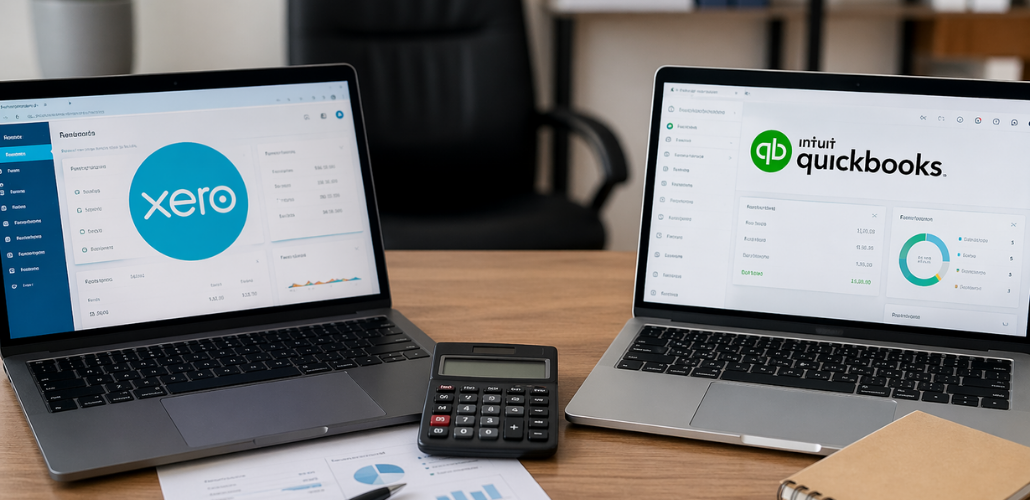
Choosing the accounting software really matters. It makes a difference in how well your finance operations work. This is especially true when you work with experts. Many firms are now looking for more than just features in an accounting software. They want efficiency, collaboration and scalability.
That’s why people are talking a lot about Xero vs QuickBooks for outsourced accounting. This is important for accounting firms and business owners who work with teams or partners in other countries.
Let’s break it down in a simple and practical way.
Understanding Outsourced Accounting and Why Software Matters
To understand how important software is, we need to look at how it fits into the way companies handle their money nowadays.
Rivercross Outsourced accounting services let businesses and accounting firms give tasks like bookkeeping, reporting, payroll and make sure they follow the rules to people outside the company. Many firms use this approach because they want to save money, get things done faster, or grow their business quickly.
None of this can happen without the right computer system in place.
Cloud platforms, like Xero and QuickBooks, are what make it possible for the people working inside the company and the outsourced accounting services to work together smoothly.
This is where Outsourced accounting services really need software that works well, lets them see the numbers in time, and does things automatically. Rivercross Outsourced accounting services depend on this to get the job done.
Overview: Xero vs QuickBooks
Both platforms are leaders in cloud accounting, but they serve slightly different user needs.
What is Xero?
Xero is a cloud-based accounting tool. It has a clean and easy-to-use interface. Many accounting firms use Xero. It allows multiple users to access it at the same time. This makes Xero ideal for teams working remotely or with offshore accounting partners.
What is QuickBooks?
QuickBooks is another accounting tool made by Intuit. Many medium-sized businesses use QuickBooks. It is great for keeping track of finances and making reports.
Both Xero and QuickBooks are accounting tools. However, they help manage work in various ways. This is especially true when used by teams.
Key Feature Comparison for Outsourced Accounting
When evaluating Xero vs QuickBooks for outsourced accounting, the focus should be on collaboration, automation, and ease of use for distributed teams.
1. Ease of Collaboration
When we outsource accounting services, a lot of people have to work on the client’s file.
- Xero makes it easy for everyone to work together at the same time because it has smooth multi-user access with role-based permissions. This is really helpful for teams.
- QuickBooks also lets people work together. It can be a little harder to use when things get complicated.
2. Automation & Bank Feeds
Automation is great because it saves us from doing a lot of work when we provide professional accounting services.
- Xero is really good at automating bank feeds. It has smart tools to help us reconcile things.
- QuickBooks also has automation. Sometimes we have to make more changes by hand, depending on how it is set up.
3. Reporting & Insights
Both Xero and QuickBooks give us reports.
- Xero is simple. Gives us real-time dashboards, which is nice.
- QuickBooks gives us detailed reports that we can change to suit our needs.
- Xero makes things easy to understand. QuickBooks gives us more information to work with.
Which Platform Works Better for Outsourced Accounting?
When businesses adopt outsourcing accounting services, they need tools that support:
- real-time collaboration
- error-free reconciliation
- secure access control
- cloud-based workflows
From an outsourcing perspective, Xero often has a slight edge due to its design around multi-user collaboration and clean workflow structure.
That’s why many firms prefer Xero vs QuickBooks for outsourced accounting comparisons before deciding on their tech stack.
However, the right choice depends on client needs, geography, and internal processes.
Xero for Outsourced Accounting Teams
Xero is widely used in Xero bookkeeping outsourcing workflows, especially among accounting firms that rely on offshore teams.
Why firms prefer Xero:
- Easy cloud collaboration with external teams
- Strong automation for reconciliation and invoicing
- Simple dashboard for non-technical users
- Excellent integration with third-party apps
For firms using outsourced bookkeeping services, Xero makes it easier to delegate tasks without constant supervision. Offshore accountants can log in, update records, and complete work in real time without workflow delays.
QuickBooks for Outsourced Accounting Teams
QuickBooks is still a pick for QuickBooks bookkeeping outsourcing, especially in countries like the US and Canada.
Strengths of QuickBooks:
- Advanced financial reporting features
- Strong payroll and tax capabilities
- Widely accepted by small businesses
- Familiar interface for traditional accountants
Many businesses choose QuickBooks for accounting outsourcing services because it has strong compliance tools and great tax support features. QuickBooks is good at these things.
That being said, compared to Xero QuickBooks can seem a bit complicated, for offshore teams that work remotely.
Cost, Scalability & Global Usage
Cost is often a deciding factor in software selection.
- QuickBooks typically offers tiered pricing based on features, which can increase as businesses scale.
- Xero provides more predictable pricing, which is attractive for firms managing multiple outsourced clients.
In terms of scalability, both platforms are strong. However, Xero tends to scale more naturally for firms heavily dependent on outsourcing accounting services and remote collaboration.
Globally, both tools are widely used, but Xero has stronger penetration in accounting firms that rely on cloud-first workflows.
How Outsourced Accounting Firms Use These Tools
In real-world scenarios, firms offering Rivercross professional accounting services use both Xero and QuickBooks, depending on client requirements.
A typical workflow looks like this:
- Client data is synced into the cloud software
- The offshore team handles bookkeeping and reconciliation
- Senior accountants review reports
- Financial statements are delivered in real time
This hybrid model is what makes modern outsourced bookkeeping services efficient and scalable.
Final Verdict: Xero or QuickBooks?
When it comes to Xero vs QuickBooks for outsourced accounting, which one is the better choice?
- If you really need to work with people who have teams in other countries and want to automate things, then you should choose Xero.
- If you need to make detailed reports, do taxes and have more control over the accounting then QuickBooks is the way to go.
There is not one choice that’s better than the other, for everyone. The right choice of Xero or QuickBooks really depends on how your accounting outsourcing services are set up and what kind of clients you work with.
Conclusion
Xero and QuickBooks are really tools that help with money matters. They make it easy to manage money.
But when we talk about getting help what we really want is not just a program, Xero or QuickBooks it is to get things done quickly and correctly and for everyone to work well together.
If you pick Xero or maybe you pick QuickBooks, the success of your accounting help really depends on how well your people and systems work together with Xero or QuickBooks.
If you need help picking the Xero or QuickBooks setup or setting it up you can contact Rivercross for good advice and help that is just, for you.
FAQs
1. What is better for outsourced accounting, Xero or QuickBooks?
Both are good. I think Xero is a better choice when it comes to teamwork in outsourced accounting.
2. Can outsourced bookkeeping services work with both platforms?
Yes, most outsourced bookkeeping services can work with Xero and QuickBooks. It really depends on what the client needs. They can use Xero or QuickBooks, no problem.
3. Why is Xero popular in accounting outsourcing services?
Xero is popular because it lets team members work together in real time. It also automates tasks. Is easy to use for teams in different locations.
4. Is QuickBooks suitable for offshore accounting teams?
Yes, QuickBooks can work well. It is mostly used for making reports and handling taxes. It is not as good for team members to work together.
5. Which software is more cost-effective for outsourcing accounting services?
Xero usually costs the same every month. QuickBooks costs more if you need features or have a big team. Xero is a choice if you want to know exactly how much you will pay.